The Break at point button breaks an entity at a certain point.
Quick Access Panel: 
Ribbon: Editor -> Instruments -> Break at point
Menu: Tools -> Modify -> Break at point
Select an entity and press the Break at point button.
Example:
•press ;
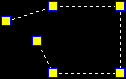
•select an entity:

•click to set the break point:
 ->
-> 
•move the resulting elements apart by markers:
Go to ABViewer