The tab allows configuring the proxy server (a connection between a company network and the Internet). It's necessary for automatic or manual update-checks.
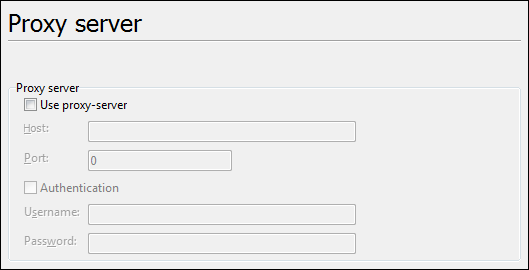
•Use Proxy Server switches the usage of Proxy Server on or off. The settings of the section Proxy Server become active.
Proxy Server:
•Host: here you can give the Internet IP address or the server name of the proxy server.
•Port: here you can give a port number
•Authentication activates the fields for entering the authentication data for the access to the proxy server.
oUser name: this field allows entering your user name on the proxy server. Many proxy servers don't need a user name and password.
oPassword: here you can enter proxy server password (if needed). Only enter the password here if your PC is completely secure!
Go to ABViewer