Specifies additional options for batch printing.
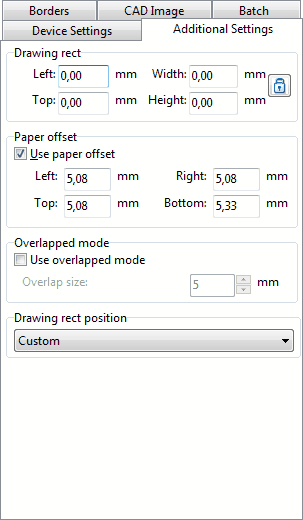
Drawing rect - defines a placement of the drawing on the sheet (upper left corner + width and height). It influences in the drawing's scale directly.
Paper offset
•Defines a size of the printable area of the sheet. This option is necessary for the convenient combining of the sheets. It is the gluing maps principle is used - sheets are laid from the left to right and from the top to bottom.
•Use paper offset - set this option on to draw an image inside of the sheet's drawing area.
What does it mean? Every printer defines an area where it puts ink. This is printable area. In most cases this area is less then sheet sizes. The difference between printable area and sheet sizes has standard values for every specific printer.
For instance, there is a drawing with bounding rectangle scaled 1:1 within sheet's extents. If Use paper offset is on, the drawing will be limited by bounds of the printable area. Thus the image will be distorted - it will be less then its real size. If Use paper offset is off, the drawing will be fitted in the bounds of the sheet sizes and the image will be printed precisely.
Overlapped mode
This option defines an area size for adjoining sheets which contain the same drawing parts. This area is used when gluing big drawing printed the small sheets.
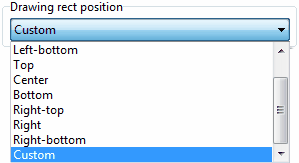
This drop down list specifies a predefined offsets of the drawing (image) of the printer's printable area.

|
Go to ABViewer