The button New creates a new file.
Quick Access Panel: 
Ribbon: File -> New
Menu: File -> New
Hotkey: Ctrl+N
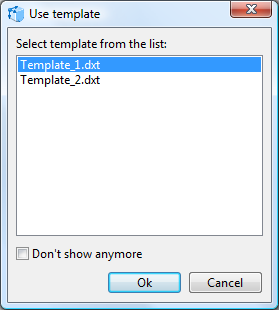
The New command is used to create a new file. By default new files are named New№.dxf and have standard basic settings that can be changed in the Properties panel after the file creation. It is possible to create drawings based on the template which parameters and objects will be inherited by a new file. File templates allow storing custom settings that must be used in the created drawings e.g. text styles, layers, objects and other parameters.
The usage of file templates is set in the Settings dialog box in the Common category. To switch the template usage on, switch on the Use template option in the Settings window. DXT is the file templates extension and must be stored in the following folder: C:\Users\USER_NAME\Documents\ABViewer 16\Templates
Before adding new elements of the drawing it is recommended to edit the values of those properties in the Properties panel which the created elements should possess and to add new layers and styles. In the Drawing Tools chapter you can find information about the main entities which are available im ABViewer. The description of the commands editing the elements of the drawing are given in the chapterModifying Instruments.
Go to ABViewer