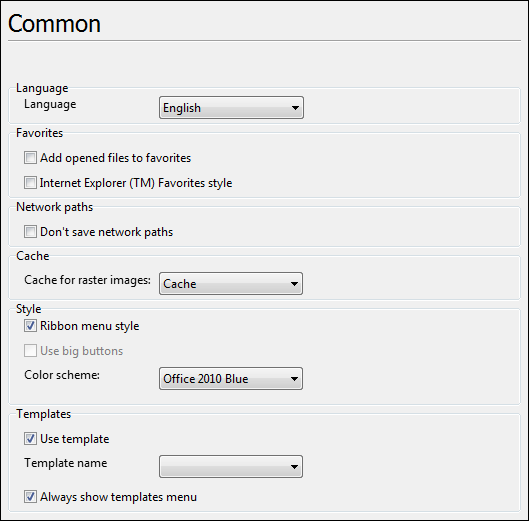
This tab contains style and language settings, and allows to set usage of file templates when creating a new drawing.
Language
•Language - selecting the interface language from the list of 32 available languages.
Favorites
•Add opened files to favorites - if checked, any opened file is automatically added to Favorites list.
•Internet Explorer™ Favorites style - if checked, Favorites list behaves like Favorites panel in the Microsoft Internet Explorer™. Files in the Explorer panel look like links and may be opened by a single click. By default the option is switched off and the files from the Favorites list are opened with a double mouse click.
Network Paths
•Don't save network paths - if checked the network path to the folder where the last opened file was situated isn't saved when quitting the program. This setting doesn't influence local folders.
Cache
•Cache for raster images - sets the usage of cache while working with raster files. It speeds up viewing of large raster images.
Style
•Ribbon menu style - switching between the classical menu that was used in the previous versions of the program and the ribbon. By default the option is on.
•Use big buttons - switches on/off using big buttons in the toolbars of the classical menu. It doesn't affect dialog boxes and additional quick access panels. The option is not available for the ribbon menu style.
•Color scheme - sets the outlook of the application. The list of styles for the classical ABViewer and ribbon is different.
Templates
•Use template - allows to create a file on base of a preliminarily created file template. In ABViewer file templates have the extension *.dxt. They can contain preliminarily created text styles, dimension styles and drawing elements.
•Template name - displays the available templates and allows to select the template that is used when creating a new file by default.
•Always show templates menu - defines if the dialog box Use template is called every time when a new file is created.
Go to ABViewer