The Polar Tracking mode allows creating and moving entities with precise angle affixment.
Status Bar: 
Hotkey: F6
In this mode the polar tracking lines and a hint showing the angle of inclination in the XY plane appear when the cursor is moved. The polar tracking mode can't be used with the ortho mode, that's why when the Polar tracking mode is on, the Ortho mode is automatically switched off.
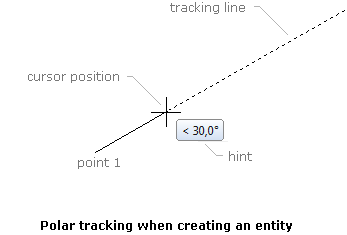
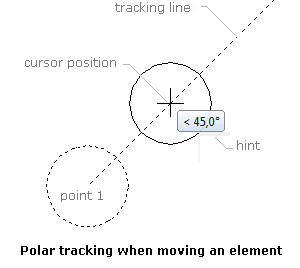
Polar tracking lines appear only after setting the base point, relative to which the object will be moved or after specifying the first point of the created entity. They appear when the imaginary line drawn from the set point to the cursor position is at an angle which is near to one of the polar tracking ones. The step of key angles is chose from the list in the dialog box Options under the tab Snap and Grid. By default polar tracking angles' step is 15 degrees.
Go to ABViewer