The Copy Object button allows to create a copy of an entity or entities at a predefined distance and in the necessary direction.
Quick Access Panel: 
Ribbon: Editor -> Instruments -> Copy Object
Menu: Tools -> Modify -> Copy Object
Select an entity and press the Copy object button.
Example:
•select an entity or group of entities:

•press Copy object button;
•click to set the base point (for instance, snap to the circle center):

•move an object in the necessary direction:
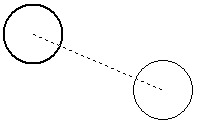
and place the copied object in the drawing in one of the two ways:
-type in the distance with the help of the dynamic input and press Enter:

-left mouse button click:
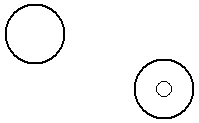
Note: copies of the object will be created until ESC key is pressed.
Go to ABViewer